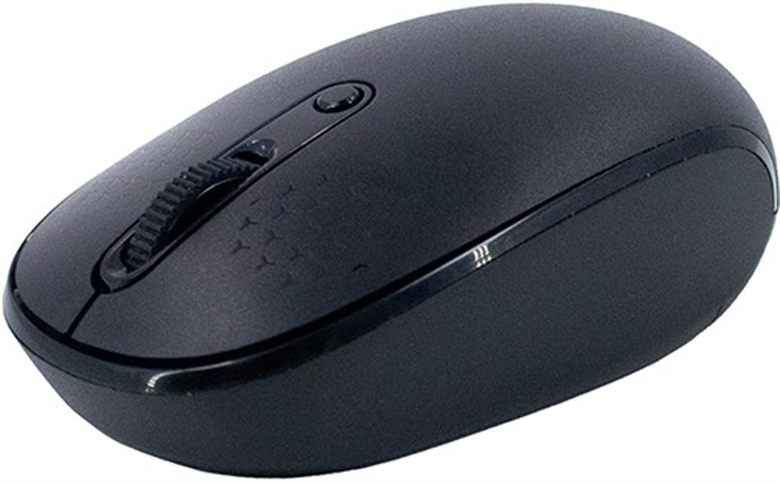
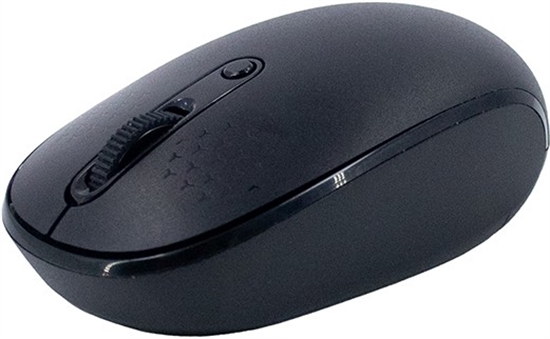
Teros TE-1237S - Mouse, Wireless, USB, Bluetooth, Optical, 1600 DPI, Black




-
In stockS/.43.15
-
Teros TE-1237S | Wireless | USB | Bluetooth | BlackIn stockS/.43.15
-
In stockS/.43.15
Work with greater freedom and comfort with the TEROS TE-1237S wireless mouse, ideal for home and office use. Its dual connectivity combines a 2.4 GHz USB receiver with two Bluetooth 5.0 channels, allowing you to connect and switch between up to three devices. It features an optical sensor with three sensitivity levels (800, 1200, and 1600 DPI) and 4 buttons for convenient navigation. Boost your productivity with TEROS!

How to buy this product?
- 1. Add the product to your cart and proceed to checkout
- 2. Select “pickup in a store” or “delivery to house or office”
- 3. Choose your payment method (Debit / Credit Card, Yape or Bank Transfer) and complete your payment
- 4. After the payment you will receive an email with your delivery or pickup date



Specifications
Model |
|
|---|---|
| Brand | Teros |
| Model | TE-1237S |
Mouse |
|
| Design | Standard |
| Connection | Wireless |
| Interface | Bluetooth, USB Dongle |
| Tracking | Optical
|
| Maximum dpi | Up to 1600dpi |
| Buttons | 4 Buttons |
| Features | - 2.4 GHz Wireless Connectivity
- Bluetooth 5.0 Connectivity (BT1/BT2) - Connects Up to 3 Devices Simultaneously - 3 Adjustable DPI Levels (800/1200/1600) - 125 Hz Polling Rate - 3 Million Click Durability - Compatible with Windows 10 and 11 and Mac OS X 10.4 or Later |
| Lights | No Lights |
| Color | Black |
| Battery | 1 × AA battery |
Warranty
Warranty:
Teros Standard Warranty
Warranty Period:
1 Year Warranty
Who do I contact if my product has issues?
You can return your product directly to Pana Compu and we will manage any warranty issues directly with Teros for you. You may also contact Teros directly using your Pana Compu invoice to receive your warranty. All warranty decisions are made by Teros and are final.
You May Like